
soundcore
Home/All/Headphones/
Space One Pro | Foldable Over-Ear Headphones

Space One Pro | Foldable Over-Ear Headphones

Unfold to Go with Superior Noise Cancelling

€189.99

Color:

  • soundcore-Engineered FlexiCurve™ Structure: Reduces Space One Pro's size by 50% with its super foldable design.
  • Exclusive 4-Stage Noise Cancelling System: Cancels out on-the-go noise in real time.
  • Drivers with Triple Composite Diaphragms: Enjoy Hi-Res distortionless audio.
  • Long-Lasting Listening: Listen up to 40 hours with ANC and 60 hours without. Experience ultra-fast charging—just 5 minutes of recharge offers 8 hours of music.
  • All-Day Comfort: Listen for longer with the pressure-relieving headband and soft earcups.

Services and Benefits

Fast Shipping

Fast Shipping

Want More Perks?
1. Priority Shipping2. Member Pricing on Selected Products 3. Unlock Benefits with soundcoreCredits Learn More

Payment Method

Specs

Playtime
60H/40H
Sound
Triple-Composite Drivers
Active Noise Cancellation
Adaptive ANC 3.0
Fast Charging
5 Mins = 8H
Calls
4 mics with AI algorithm
Multipoint Connection
✔️
Customized EQ
Hear ID 2.0
Weight
286.2g(10.10 oz)
Special Features
Super Foldable Design
Space One Pro | Foldable Over-Ear Headphones
€189.99
AplusBgImage
AplusBgImage
cover_image
play video
bgImg

Hear What Others Are Saying...

soundcore-Engineered FlexiCurve Structure

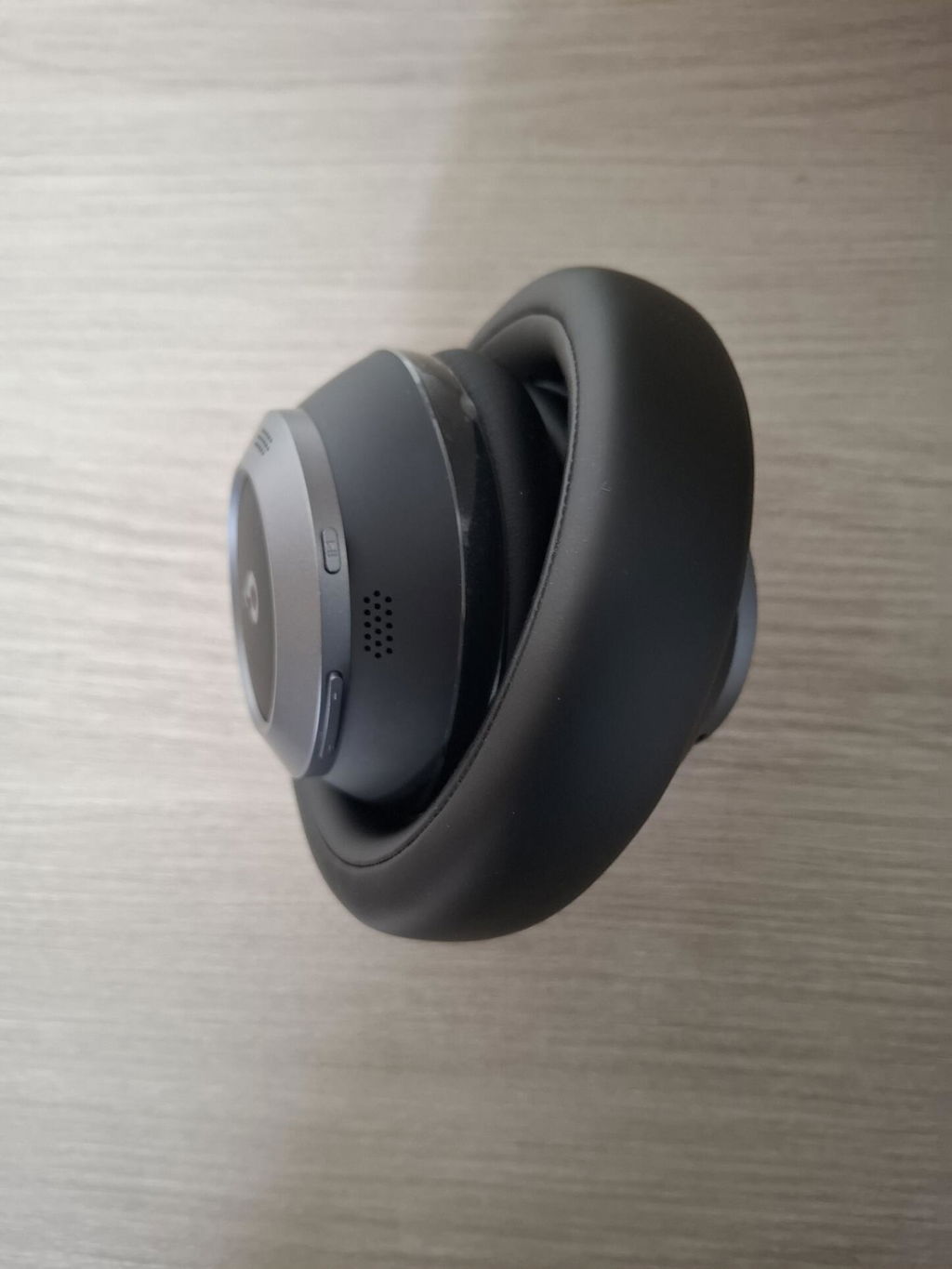
Reduce Space One Pro's size by 50% and enjoy an effortless on-the-go listening experience, without the extra bulk.

Five-Segmented Headband

Space One Pro features a headband with five flexible segments for optimized and precise foldability—undergoing 10,000 durability tests for your reassurance.

Optimal Folding Angle

Each segment maintains a folding angle of 5-8 degrees, optimal for preventing excessive rotation of the headband.

Three-Joint Separation

Space One Pro features three joints connecting the headband and the earcups that rotate up to 180° to save space.

Fold Guide

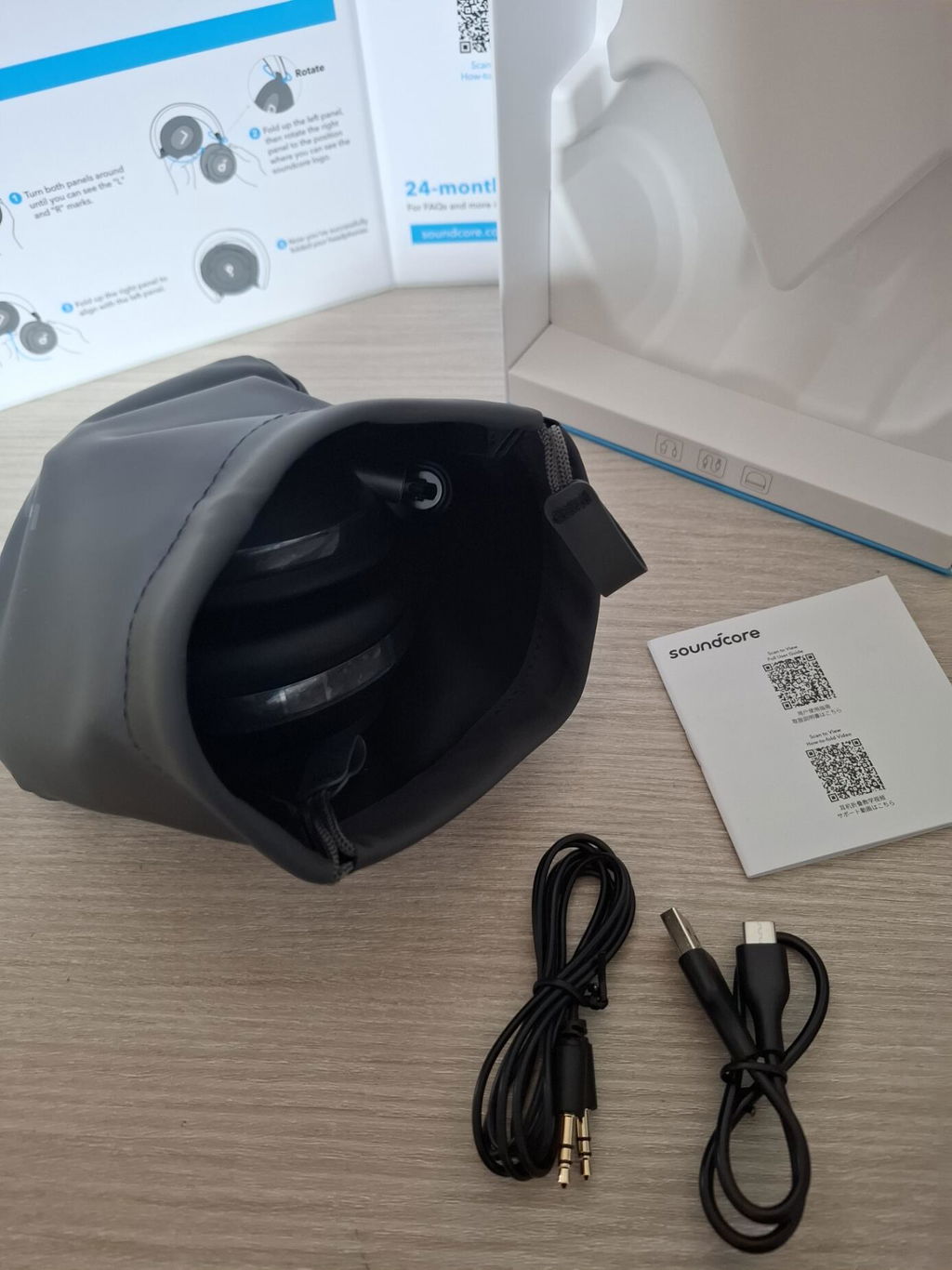
Step 1: Rotate both panels until "L" and "R" are visible. Step 2: Fold the left panel. Rotate the right panel until you see the soundcore logo. Step 3: Fold the right panel to align with the left.

sliderCart

Hear What Others Are Saying...

bgImg

Wipes Out All Noise

From airplanes to chatter, Space One Pro cancels out a wider range of noise, based on your dynamic movements.

Two Extra Feedforward Mics

A total of 6 mics work together to identify and block noise from all directions, adapting to various environments.

Expanded Acoustic Chamber

Enhanced chamber for buffering noise provides better passive noise reduction.

Upgraded Algorithm - Adaptive ANC 3.0

Calculates in real-time and adjusts to your wearing conditions, tracking dynamic movements for maximum quiet.

High-Sensitivity Drivers

Space One Pro provides pure, immersive listening without affecting noise cancelling performance.

sliderCart

Wipes Out All Noise

From airplanes to chatter, Space One Pro cancels out a wider range of noise, based on your dynamic movements.

FAQ

Operation

How to Reset Space One Pro

1. Turn on your headphones. 2. Press and hold both the power button and the “+” button simultaneously for 5 seconds until the LED indicator flashes red. Then, the indicator will flash white, and finally blue, indicating that the headphones have been reset successfully.

Multipoint Connection How can I enable multipoint connection?

1. After connecting Space One Pro to a device, you can enable multipoint connection by double-pressing the power button and then following the standard steps of Bluetooth connection to connect a second device. 2. Multipoint connection is enabled automatically. If you want to turn it off, connect your Space One Pro headphones to the soundcore app, select Space One Pro on "Device List," and manually deactivate multipoint connection.

Two Types of Multipoint Connection What are the two types of multipoint connection?

Type 1 (for Space One): With both your smartphone and computer connected to the headphones, the headphones will play audio from whichever device starts playback first without letting the second device cut in. For example, if your computer starts playing music first, the headphones will continue to play from the computer even if your smartphone starts playing audio later. Type 2 (for Space One Pro): With both your smartphone and computer connected to the headphones, the headphones will play audio from the device that starts playback last. For example, if your computer starts playing music first and then your smartphone starts playing audio, the headphones will switch to the smartphone and pause the computer's audio. Note: Due to compatibility issues, notification sounds may be mistaken as audio and can override the playback.

Adaptive Noise Canceling What is adaptive noise canceling?

Real-time monitoring of changes in the environment and audio leakage to adjust noise-cancellation capabilities. With adaptive noise canceling, you can experience the optimal effect of noise reduction and maximum tranquility. Please note that this feature is off by default and can be enabled via the soundcore app.

Easy Chat What is Easy Chat?

This feature is off by default. To turn it on, activate "Speak to Enable" in Easy Chat in the soundcore app. It will be in effect automatically when it detects that you're speaking. 1. When you speak, the music volume automatically goes down to one bar. 2. The activation time can be set at 5s, 10s, or 15s in the app, and the default is 5s. 3. Noises such as abrupt, sharp sounds or coughs may lead to accidental activation of Easy Chat. 4. Noise may also prevent it from being activated and it may help to speak up.

Dolby Sound Effect What is Dolby sound effect?

This feature is off by default and can be enabled via the soundcore app. 1. With Dolby sound effect on, the stereo and spatial audio effects are enhanced, but sound quality may be slightly compromised. 2. It's ideally suited for watching online concerts and movies. The effect varies for different music genres and some songs may not even experience any effect at all. It's not recommended for listening to podcasts. 3. Dolby sound effect is mutually exclusive with LDAC technology. 4. If your phone has a built-in Dolby feature, it's advised to use the phone's or the headphones' Dolby effect for the optimal sonic experience.

Sidetone Mode What is Sidetone mode?

This feature is off by default and can be enabled via the soundcore app. It allows you to hear your own voice during a call. It has a similar effect to Transparency mode, but not as strong.

LDAC Mode How to enable LDAC for my Space One Pro?

1. Android phone users can turn on LDAC in the soundcore app. In the app, go to Settings, tap on "Sound Mode," and select "Preferred Audio Quality" to switch to LDAC codec. It's advised to check for firmware upgrades and upgrade to the latest version for better LDAC performance. Please note that with LDAC on, the headphones cannot be connected to two devices at once. 2. If you have turned on LDAC in the app and ensured that the firmware upgrade was successful but still cannot use it, please check if your phone supports LDAC, and if there is an LDAC feature on your phone that needs to be turned on. To do so, go to Settings > System > Developer Options > HD Audio > Bluetooth Audio Codec. If you see LDAC listed there, your phone supports it. The route might differ for different phones so please look up the specific one for yours. 3. iOS phones do not support LDAC and LDAC is also mutually exclusive with Dolby sound effect.

Folding Up Your Headphones How to fold up my Space One Pro?

1. Turn both panels around until you can see the "L" and "R" marks. 2. Fold up the left panel, then rotate the right panel to the position where you can see the soundcore logo. 3. Fold up the right panel to align with the left panel. 4. Now you've successfully folded your headphones. Notes: It still works no matter whether you choose to fold up the left or right ear cup first. After unfolding, there may be creases on the ear cups. You can smooth them out by hand.
Sound Related

What should I do if only music, but not calls, comes through my headphones?

If you're using Bluetooth, you need to adjust the input and output settings. For Windows computers (Windows 10): Go to Settings and search for "Turn mono audio on or off." Change other sound settings. Click on "Playback." Turn off Stereo mode and enable Hands-Free mode. Stereo mode does not support microphone use but offers better sound quality because it supports high-quality stereo transmission. Hands-Free mode supports microphone use, allowing you to engage in voice calls and audio playback simultaneously, but has lower sound quality.

What should I do if I get no sound when my headphones are connected to the computer?

Please ensure your computer has selected the headphones as the output device: a. For Windows computers: In computer settings: For input, select "soundcore Space One Pro Hands-Free AG Audio". For output, select "soundcore Space One Pro Stereo". For conference call software: Select "soundcore Space One Pro Hands-Free AG Audio" for both input and output. b. For macOS computers: In computer settings: Select "soundcore Space One Pro" for both input and output. For conference call software: Select "soundcore Space One Pro" for both input and output. When your headphones are connected to two devices, A and B, at once, if A's audio app has dynamic ads (silent ads included) playing, even if it's in the background, it may dominate the sound channel. So when you switch to B, you can get silence in the headphones. To resolve it, close the app on A and try playing audio on B again.

What should I do if the volume is low with Space One Pro?

If you find that the headphone volume is low and adjusting it doesn't help, it may be caused by one of the following factors. Here's a guide to help troubleshoot: 1. Volume Sync Issue (Android Phones) - Open your phone's settings. - Go to Bluetooth. - Locate your connected Bluetooth headphones. - Enable the "Media Volume Sync" option. 2. Volume Sync Issue (iOS Phones) - Disable the "Reduce Loud Audio" feature as it limits the maximum volume of the headphones. 3. Desktop Computer or Laptop Compatibility - Ensure the volume is set to maximum on both the computer and the headphones. 4. Safe Volume - Turn off Safe Volume in the soundcore app, which might be limiting the maximum volume. 5. Sound Leakage from Improper Fit - Verify that the headphones are worn correctly and fit snugly to prevent sound leakage.
ANC related

What should I do if the noise cancellation does not meet my expectations?

1. Make sure you wear the headphones correctly, especially that the left ear cup is on your left ear and the right one is on your right ear. 2. Adjust the headband to ensure the ear cups fully cover your ears. It helps improve the seal and the active noise cancellation (ANC) performance. You're also welcome to send us a photo of yourself wearing the headphones so we can check if there's leakage between the ear cups and your ears. 3. Check the ANC level in the app. Higher levels mean better noise cancellation. 4. ANC primarily targets low-frequency noise like human voices between 50 and 1.5KHz. It's less effective against high-frequency noise.

What should I do if the adaptive noise canceling does not meet my expectations?

1. Adaptive noise cancellation adjusts noise reduction based on changes in your surroundings, but it may not be as effective as the default active noise cancellation. 2. When you enable adaptive noise canceling, it takes about three to five seconds to adapt to the environment and start working effectively. 3. Here's the difference between adaptive noise cancellation and the default active noise cancellation: The former optimizes its effect based on changes in the environment, even compensating for minor leaks in how headphones fit. The default active noise cancellation has five levels you can choose from in the soundcore app so it's up to you to select the optimal level that fits your needs.
APP related

What should I do if I cannot enter the soundcore app?

When the headphones are connected to two devices, you can only access the soundcore app on one of them. Please check if the app is open on both devices. If so, fully close it on one of the devices and try again.

If you're using an iOS phone, please check if you're attempting to open the app during a call. The app cannot be entered during a call, so please try again after the call has ended.

What should I do if I cannot find "Space One Pro" in the soundcore app?

Download the soundcore app from Play Store, enter the app, click on "Add Devices" on the main page, click on the earbud icon, and finally, click on "soundcore Space One Pro" to connect.

Why isn't there any change in sound quality after adjusting the sound effects in the soundcore app?

The sound effects in the soundcore app only apply to media sound and do not affect the quality of your calls.

What should I do if I am not able to upgrade the firmware of Space One Pro?

During the firmware upgrade, please make sure that you 1. Do not disconnect the headphones from the app. 2. Do not disconnect from the network. 3. Do not close the app. 4. Keep the headphones in Standby mode. 5. Open the phone settings, and clear the soundcore cache in the application management. If the upgrade fails, please try again later.
Documents & Drivers

How to Reset Space One Pro

1. Turn on your headphones. 2. Press and hold both the power button and the “+” button simultaneously for 5 seconds until the LED indicator flashes red. Then, the indicator will flash white, and finally blue, indicating that the headphones have been reset successfully.

Multipoint Connection How can I enable multipoint connection?

1. After connecting Space One Pro to a device, you can enable multipoint connection by double-pressing the power button and then following the standard steps of Bluetooth connection to connect a second device. 2. Multipoint connection is enabled automatically. If you want to turn it off, connect your Space One Pro headphones to the soundcore app, select Space One Pro on "Device List," and manually deactivate multipoint connection.

Two Types of Multipoint Connection What are the two types of multipoint connection?

Type 1 (for Space One): With both your smartphone and computer connected to the headphones, the headphones will play audio from whichever device starts playback first without letting the second device cut in. For example, if your computer starts playing music first, the headphones will continue to play from the computer even if your smartphone starts playing audio later. Type 2 (for Space One Pro): With both your smartphone and computer connected to the headphones, the headphones will play audio from the device that starts playback last. For example, if your computer starts playing music first and then your smartphone starts playing audio, the headphones will switch to the smartphone and pause the computer's audio. Note: Due to compatibility issues, notification sounds may be mistaken as audio and can override the playback.

Adaptive Noise Canceling What is adaptive noise canceling?

Real-time monitoring of changes in the environment and audio leakage to adjust noise-cancellation capabilities. With adaptive noise canceling, you can experience the optimal effect of noise reduction and maximum tranquility. Please note that this feature is off by default and can be enabled via the soundcore app.

Easy Chat What is Easy Chat?

This feature is off by default. To turn it on, activate "Speak to Enable" in Easy Chat in the soundcore app. It will be in effect automatically when it detects that you're speaking. 1. When you speak, the music volume automatically goes down to one bar. 2. The activation time can be set at 5s, 10s, or 15s in the app, and the default is 5s. 3. Noises such as abrupt, sharp sounds or coughs may lead to accidental activation of Easy Chat. 4. Noise may also prevent it from being activated and it may help to speak up.

Dolby Sound Effect What is Dolby sound effect?

This feature is off by default and can be enabled via the soundcore app. 1. With Dolby sound effect on, the stereo and spatial audio effects are enhanced, but sound quality may be slightly compromised. 2. It's ideally suited for watching online concerts and movies. The effect varies for different music genres and some songs may not even experience any effect at all. It's not recommended for listening to podcasts. 3. Dolby sound effect is mutually exclusive with LDAC technology. 4. If your phone has a built-in Dolby feature, it's advised to use the phone's or the headphones' Dolby effect for the optimal sonic experience.

Sidetone Mode What is Sidetone mode?

This feature is off by default and can be enabled via the soundcore app. It allows you to hear your own voice during a call. It has a similar effect to Transparency mode, but not as strong.

LDAC Mode How to enable LDAC for my Space One Pro?

1. Android phone users can turn on LDAC in the soundcore app. In the app, go to Settings, tap on "Sound Mode," and select "Preferred Audio Quality" to switch to LDAC codec. It's advised to check for firmware upgrades and upgrade to the latest version for better LDAC performance. Please note that with LDAC on, the headphones cannot be connected to two devices at once. 2. If you have turned on LDAC in the app and ensured that the firmware upgrade was successful but still cannot use it, please check if your phone supports LDAC, and if there is an LDAC feature on your phone that needs to be turned on. To do so, go to Settings > System > Developer Options > HD Audio > Bluetooth Audio Codec. If you see LDAC listed there, your phone supports it. The route might differ for different phones so please look up the specific one for yours. 3. iOS phones do not support LDAC and LDAC is also mutually exclusive with Dolby sound effect.

Folding Up Your Headphones How to fold up my Space One Pro?

1. Turn both panels around until you can see the "L" and "R" marks. 2. Fold up the left panel, then rotate the right panel to the position where you can see the soundcore logo. 3. Fold up the right panel to align with the left panel. 4. Now you've successfully folded your headphones. Notes: It still works no matter whether you choose to fold up the left or right ear cup first. After unfolding, there may be creases on the ear cups. You can smooth them out by hand.

Specs

Playtime60H/40H
SoundTriple-Composite Drivers
Active Noise CancellationAdaptive ANC 3.0
Fast Charging5 Mins = 8H
Calls4 mics with AI algorithm
Multipoint Connection✔️
Customized EQHear ID 2.0
Weight286.2g(10.10 oz)
Special FeaturesSuper Foldable Design

Customer Reviews

Based on 60 reviews
78%
(47)
20%
(12)
2%
(1)
0%
(0)
0%
(0)
H
H.
Truly incredible product

Honestly, buy these headphones right now. Even though the Soundcore Space 2 has just been released and everyone is talking about the new model, after using these for weeks in different situations I can say with total confidence that they are still an amazing option depending on what you need. I have gone through several models in the last year. I started with the JBL Tour One M3, then moved to the Sony XM5, and these Soundcore headphones offer practically everything those models give you but at a much lower price. What surprises me the most is that the whole Soundcore ecosystem feels more integrated and polished than expected for this price. The overall experience is balanced, complete and genuinely satisfying.

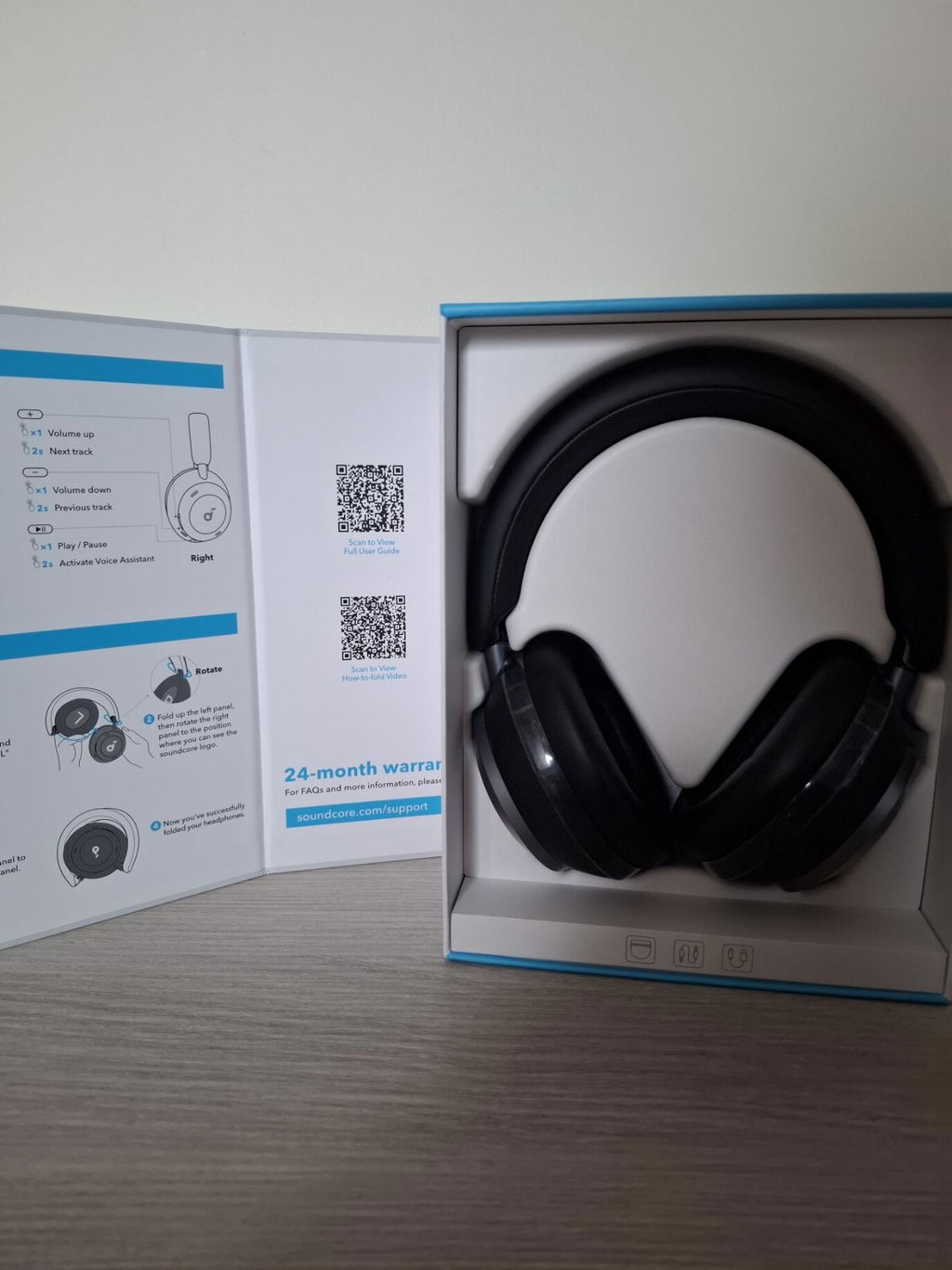
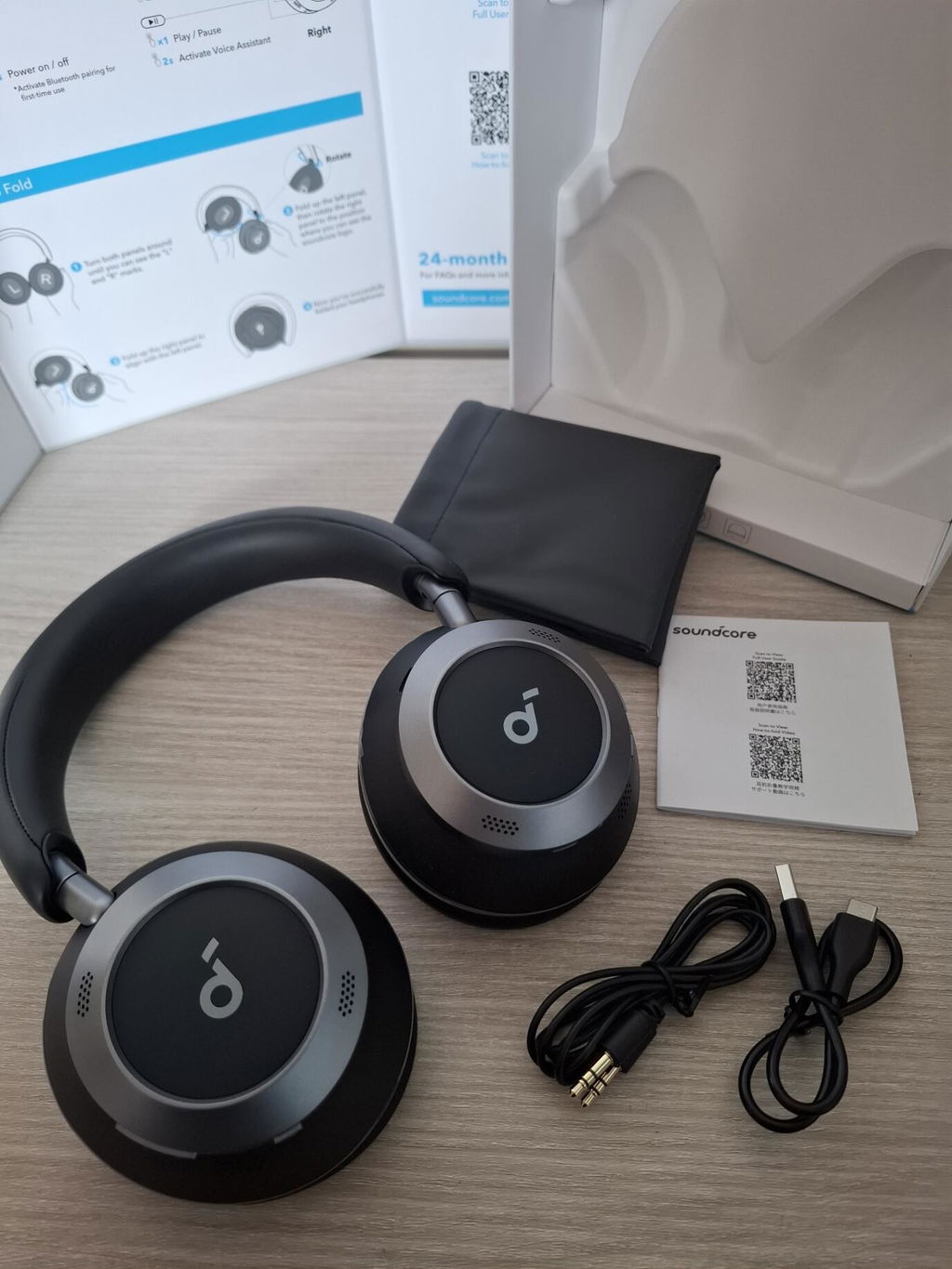
They arrived in perfect condition, well protected and without any defects in the hinges or ear cushions. The build quality is solid because the hinges are metal, unlike the previous Space One where many users complained about cracks. Here everything feels firm and durable. The folding mechanism is stable and the passive isolation is already good even before activating noise cancellation. The clamping force is comfortable, the cushions are soft and the headband distributes the weight well, so you can wear them for long sessions without discomfort.

The sound is very balanced. The bass has punch but stays controlled, the mids are clean and the treble is detailed without becoming sharp. The default equalization is not perfect but the app gives you many preset modes and a fully customizable equalizer. With LDAC the improvement is clear. There is more detail, better separation and a wider soundstage. Vocals and instruments sound more natural and the difference compared to SBC or AAC is noticeable. It is honestly surprising that these sound more powerful and refined than the JBL Tour One M3 considering the price difference.

The active noise cancellation is impressive for this range. I would give it an eight out of ten. It is not at the level of the Sony XM6 but it is far better than expected. Everyday noise disappears almost completely when listening at medium volume. The six microphone system handles constant noise well and the adaptive mode adjusts the intensity without creating pressure in your ears. Transparency mode is also very natural. Voices sound clear and you can hear your surroundings without distortion. I would rate transparency around eight and a half out of ten.

One of the best features is voice detection. When you start talking the headphones automatically lower the volume and activate transparency mode for the time you choose. It is perfect for quick conversations, ordering something or answering someone without touching anything. It works extremely well and becomes essential once you get used to it.

For calls the microphones perform consistently. They filter outside noise effectively and keep your voice clear even with wind or street noise. It is not ultra premium but it is more than enough for daily calls. The sidetone option lets you hear your own voice so you do not speak too loudly.

Battery life is another strong point. It lasts a very long time. With noise cancellation on you can go several days without charging. LDAC reduces battery life but even then it is more than enough for heavy use. I use them several hours a day and charge them roughly once a week. Fast charging is real and useful. Five minutes give you several hours of playback. For this price it is honestly ridiculous.

The app integration is extremely complete. There are many functions such as real time translation, meditation modes, customizable controls, sound tests and adaptive noise cancellation. It feels like a premium ecosystem.

There are a few things to consider. They do not come with a hard case but you can buy one cheaply. They do not have a touch panel which for me is better because you avoid accidental touches. Soundcore removed two features from the previous model, automatic pause detection and the palm activated transparency gesture. They are not essential but it is strange that they removed them.

In summary this review is not sponsored. Buying these headphones right now is a great decision. After trying many brands and high end models I am extremely happy with this purchase. For this price you will not find anything better. The balance between sound, comfort, features and battery life makes this one of the best deals in the entire headphone market.
j
j.
Basic fault in transparency mode

Feedback , screeching, random noises, with NC off, in NC mode seems fine , build quality seems ok

P
P.
Unexpected !

I know that many people will say that this review is not authentic or that it was paid, but I`ll write it anyway because for a long time I did not have my expectations beaten. I have had Sony XM3. XM4, XM5 and the new XM6 and they were great. I have tried almost every other big brand out there BeoPlay, Bose, Technica and none were even close. So trust me when I say I was a bit skeptical trying different cheaper brand these but for 169 why not. Honestly? Incredible guys. You really made it. You have beaten Sony in every way! I have tried comparing over a dozen songs using iPhone 16 PRO Max + Spotify Lossless. The Sonys were using all the cool DSEE Extreme but the sound compared to there Space One Pros is really flat and uninteresting. The Space One Pros have sound so full that finally I can say that I hear lossless music for a first time over Bluetooth.

Again compliments to the chef!

PS. not posting any video or pictures, I guess you have seen how they look. Buy them, hear them, use lossless, feel the difference!

G
G.C.
Great headphones, super nice build quality and ANC.

I’ve had the space one pros for about 10 months now, they’re a great upgrade from the JBL headphones I had before : Active noice cancellation, twice the (theoretical) battery life, and they are much, much more comfortable to wear, as well as have a much better build quality. The ANC isn’t perfect, but they perform quite similar to the sont WH-1000XM5 on that domain. Portability is also great, I don’t find myself using the new folding design that often but having the possibility is always great. Build quality does feel really nice, mine have minimal wear after my 10 months of daily use with them, only caveat is that replacing the earcups does not seem possible to do without sending it back to soundcore, but I suppose if they last long (again, very minimal wear and tear after ten months and over 1500hours of wearing them). The app is also pretty good: there are firmware updates from time to time even though it is pretty unclear what they actually change on the headphones, but the different EQs and available controls are useful (apart from the easy chat feature which needs a lot of tinkering and even then isnt great. The battery life usually lasts me 40-50 hours with ANC on occasionally. Charging speed is also really fast, about as advertised. Great pickup for general daily use, especially if you can get the travel case (it came included with the headphones when I bought them, but it does not seem to be the case anymore)

Y
Y.Y.
Totally disappointed with how Soundcore treats its customers

I ordered these headphones as a birthday gift for myself back on May 20th. I was really looking forward to them, especially since I already own several Soundcore products and have always been happy with their quality.

Update: Situation Resolved – Back to Being a Happy Soundcore Customer

I originally wrote this review after a very frustrating experience with my order back in May — it was stuck in “Processing” for over a month, and I had to request a refund. At that time, I was deeply disappointed with the customer service I received.
However, I want to update this review and say that the situation has since been resolved positively. I placed a new order and this time everything went smoothly — the headphones arrived as expected and without delay.
I’m happy to say that I continue to be a fan of Soundcore products. The initial experience was unfortunate, but I appreciate that things were eventually handled properly. Thank you.
Unfortunately, this time things went completely wrong. I waited over a month, and my order remained stuck at “Processing.” I never received a tracking number, and customer support only responded with generic apologies and no real answers.

In the end, I had to formally request a refund, which I thankfully received.
The products may be great, but the way Soundcore treats its customers is terrible. That’s a real shame, because I expected much better.